
Remove.bg Chrome Extension
AI APITags
Browser Extension
Freemium
AI Background Remover
AI API
Introduction
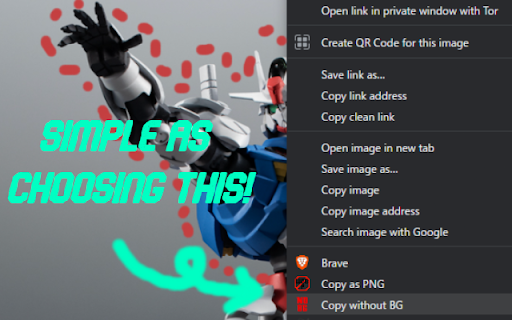
This Chrome extension allows users to remove the background from an image with a right-click. It leverages the remove.bg API to perform the background removal directly from the browser.
How To Use
1. Install the extension from the Chrome Web Store. 2. Obtain an API key from remove.bg. 3. Go to chrome://extensions, find the extension, and click 'Details'. 4. Click on 'Extension Options' and enter your remove.bg API key. 5. Right-click on an image and select 'Copy without BG'.
Pricing
| Packages | Pricing | Features |
|---|---|---|
| Free Edition | Free | Unlimited public repositories, limited private repositories |
| Team Edition | $4/user/month | Unlimited private repositories, basic features |
| Enterprise Edition | $21/user/month | Advanced security and auditing features |